Signline

Get contracts signed today, not next week.

Upload a PDF, drop signature, date and text boxes where each person signs, and send. They sign on any phone in a minute. Everyone gets the signed PDF with a certificate page and full audit trail.

Start free See how it works
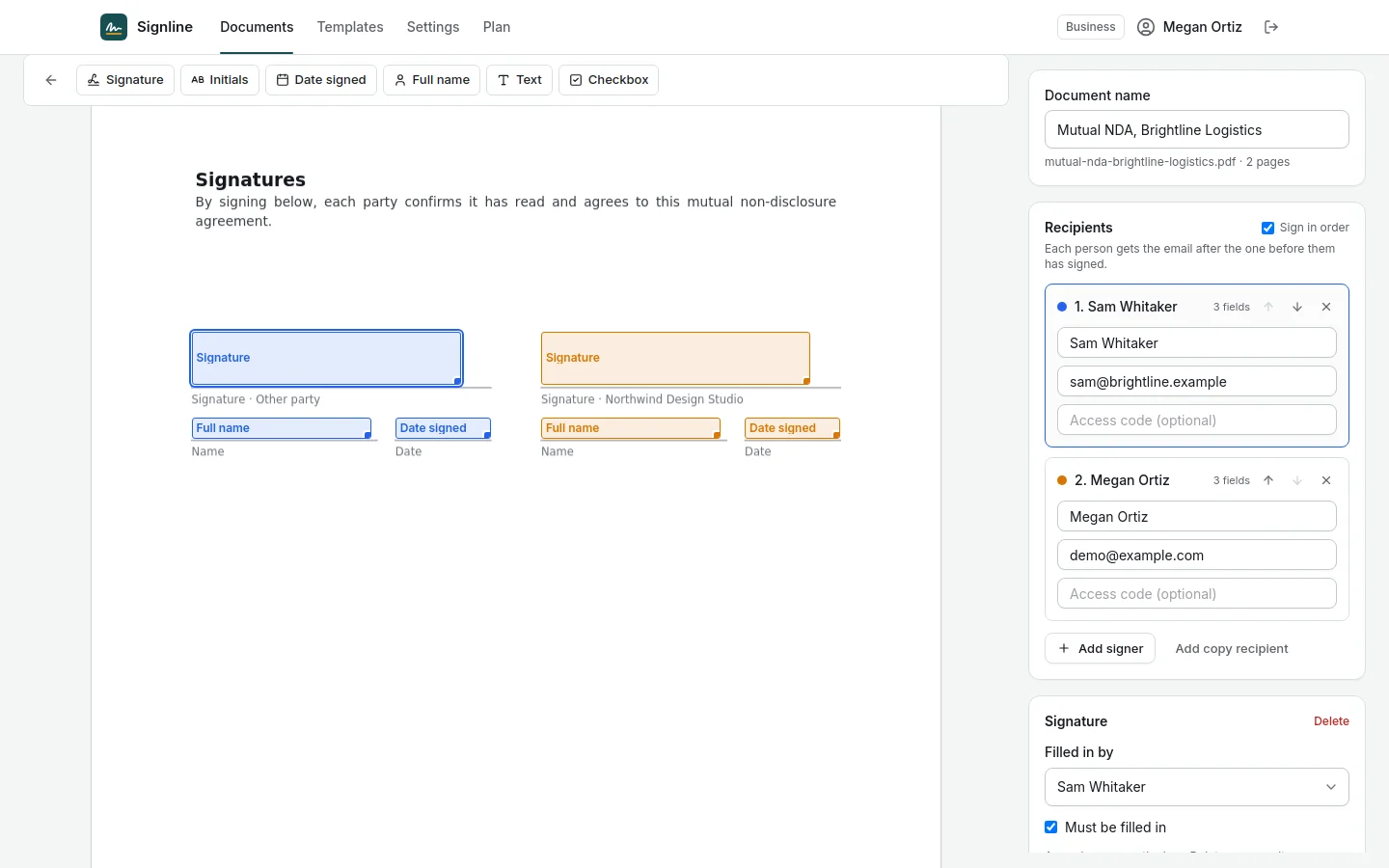
The field editor: a contract with signature, date and text boxes for two signers

Three steps, a few minutes

  1. 1

    Upload the PDF

    Any contract, agreement, NDA or form you already have. Filled-in form fields become part of the page.

  2. 2

    Place the boxes

    Add each signer, then click the page to drop their signature, initials, date, name, text or checkbox.

  3. 3

    Send and follow

    Each person gets a private link by email, in order or all at once. You see who opened, who signed and who is next.

Signing works on any phone

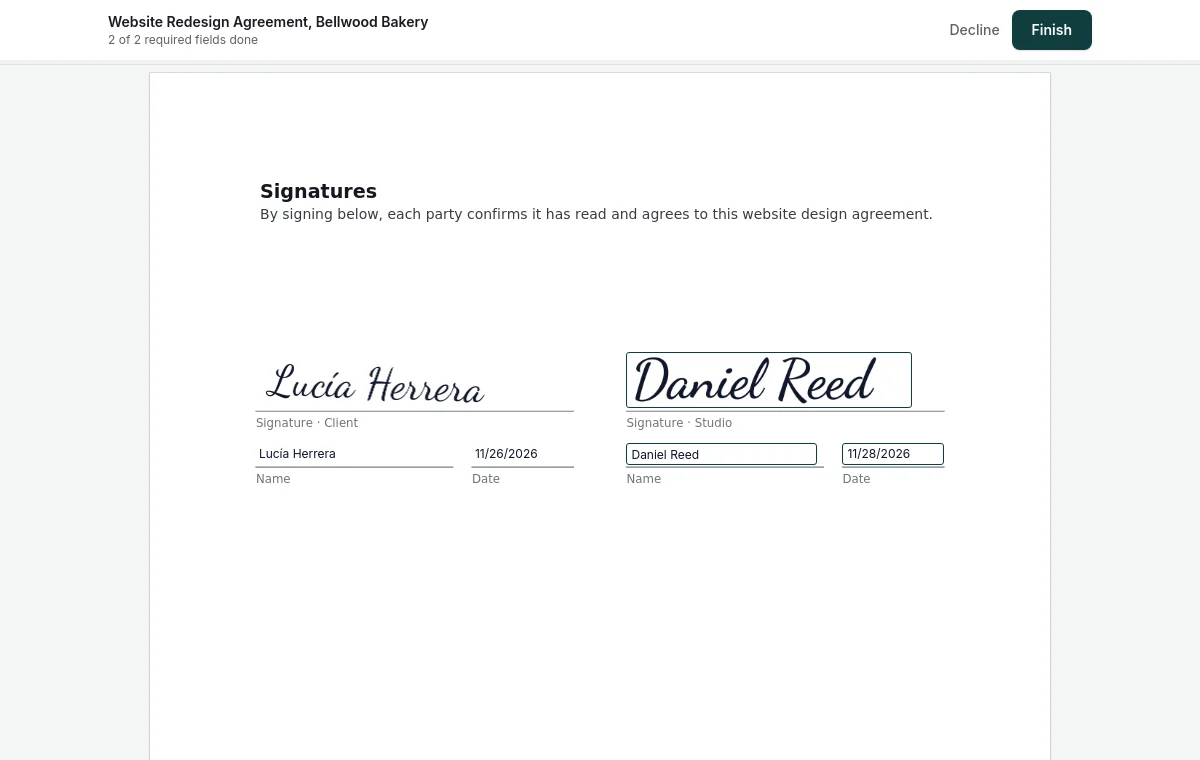
No account and no app. The signer taps each highlighted box, draws or types a signature once, and it fills every box that needs it. A Next button walks them to what is left.
Signing works on any phone

A sealed PDF with a certificate page

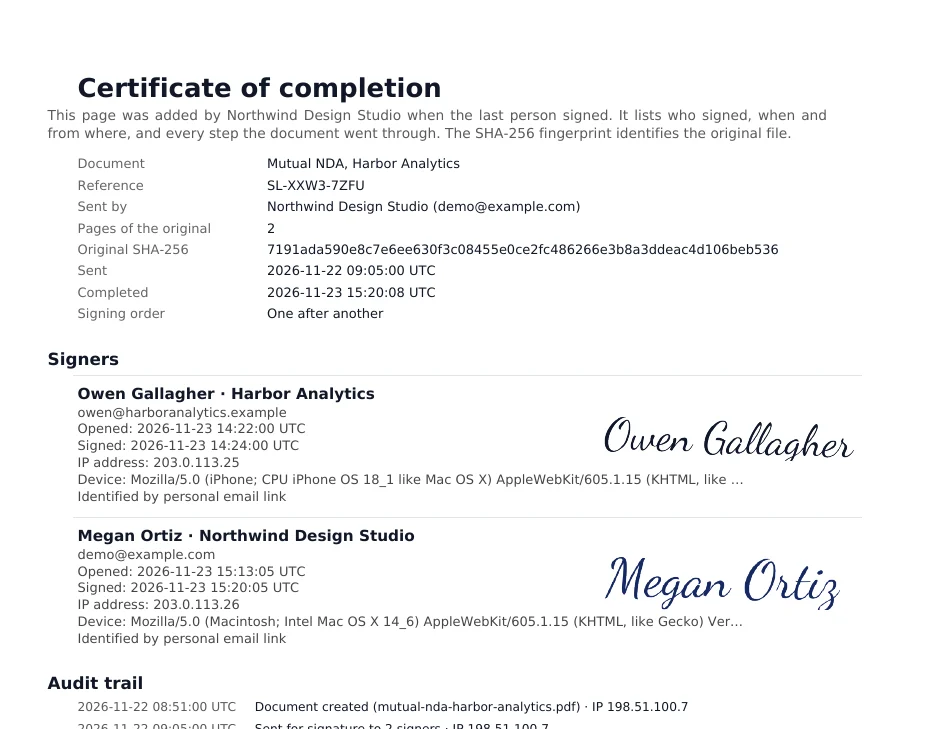
When the last person signs, the boxes are stamped into the PDF and a certificate page is added: each signer, their email, IP address and time, and every step from sending to completion.
A sealed PDF with a certificate page

Always know where a document stands

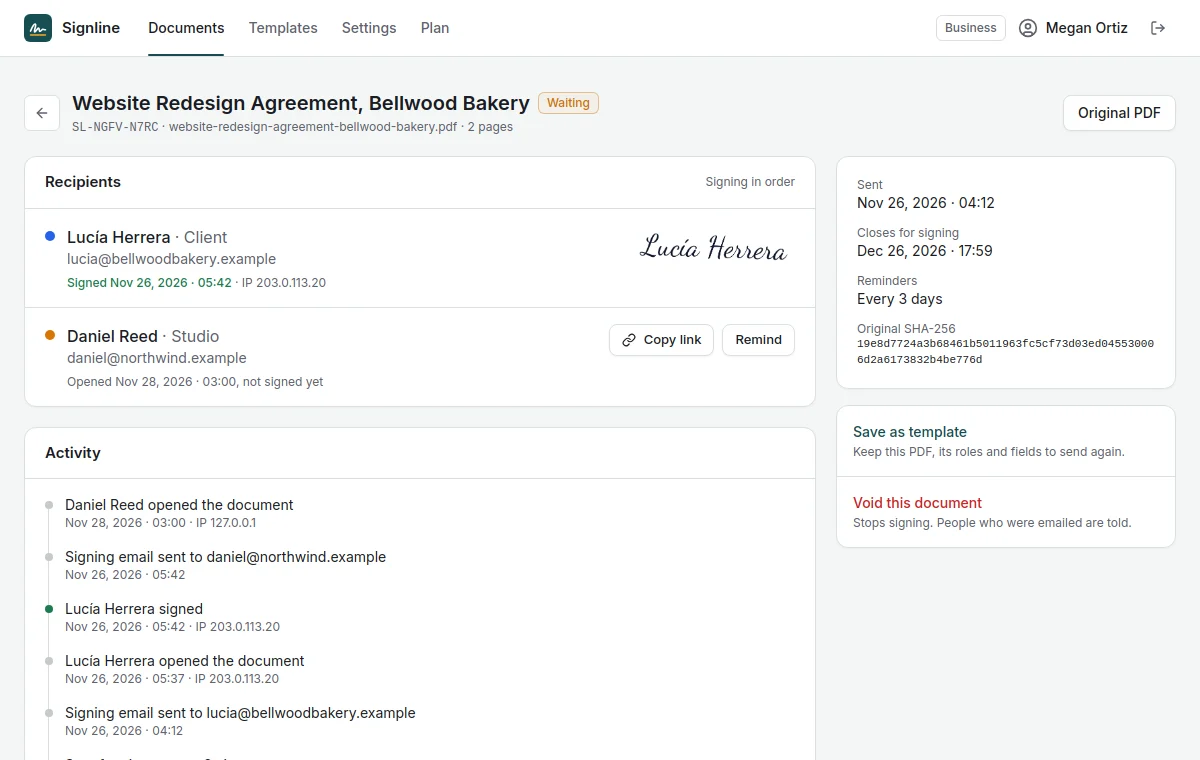
Who opened it, who signed, whose turn it is. Copy a signer’s link to send by text, send a reminder, or void a document that changed.
Always know where a document stands

Everything a small team needs to get signatures

Signing order
One after another, or everyone at once. The next person is emailed the moment the one before signs.
Templates
Save a contract with its roles and boxes once. Next time, type the names and send.
Automatic reminders
Every few days until they sign, and a closing date after which the link stops working.
Access codes
For sensitive documents, the signer also types a code you give them by phone.
Decline and void
Signers can decline with a reason; you can cancel a document that changed. Everyone is told.
Check any copy
Anyone can upload a signed PDF to check it is exactly the sealed file, using its SHA-256 fingerprint.
Your company on every page
Your logo, colour and name on the signing page and in every email. Replies go to you.
Spanish and French
Signing pages, emails and the certificate in English, Spanish or French, per company.
Export
Every document with its status, signers and fingerprints as a CSV file.

Simple plans

Start free. Move up when you send more.

Free

Free

  • 3 documents a month
  • 1 template
  • Up to 2 signers per document
  • Signed PDF with certificate and audit trail
  • Signing order, reminders and access codes
Start free

Pro

$12 / month

  • 50 documents a month
  • 20 templates
  • Up to 10 signers per document
  • Signed PDF with certificate and audit trail
  • Signing order, reminders and access codes
  • No platform name on signing pages and emails
Start free

Business

$29 / month

  • Unlimited documents
  • Unlimited templates
  • Up to 25 signers per document
  • Signed PDF with certificate and audit trail
  • Signing order, reminders and access codes
  • No platform name on signing pages and emails
Start free

Questions

Is an electronic signature legally binding?

For most business agreements, yes: the US (ESIGN Act and UETA), the EU (eIDAS) and many other countries accept electronic signatures. Each signature here comes with the signer’s consent, the email link they used, the time, IP address and a fingerprint of the file. Some documents, such as wills or certain property deeds, still need ink or a notary; check the rules where you are.

Do signers need an account?

No. They open the link in their email, sign, and get the signed PDF by email when everyone is done.

What happens to my PDF?

It is kept privately on this server. Signers see it only through their own link, and nothing is shared with other services.

Can I send the link by WhatsApp or text instead?

Yes. Copy any signer’s private link from the document page and send it however you like. Add an access code if you want an extra check.

What if someone needs to change the document?

Void it, fix the PDF, and send it again. The voided one stays in your history with the reason.

Your next contract could be signed by tonight.

Upload a PDF and send it. Free to start, no card needed.

Start free